
MusicMate Beta Request an invite

Sheet music that turns its own pages.

Raise your eyebrows and the page turns. Your hands never leave the instrument.

Request an invite See how it works

MusicMate is in beta. It's free while we test, and we'll tell you well before that changes.

Hands-free page turnsFive signals to choose from

A built-in metronomeNo second app or device

Lessons that come homeNotes and recordings on every piece

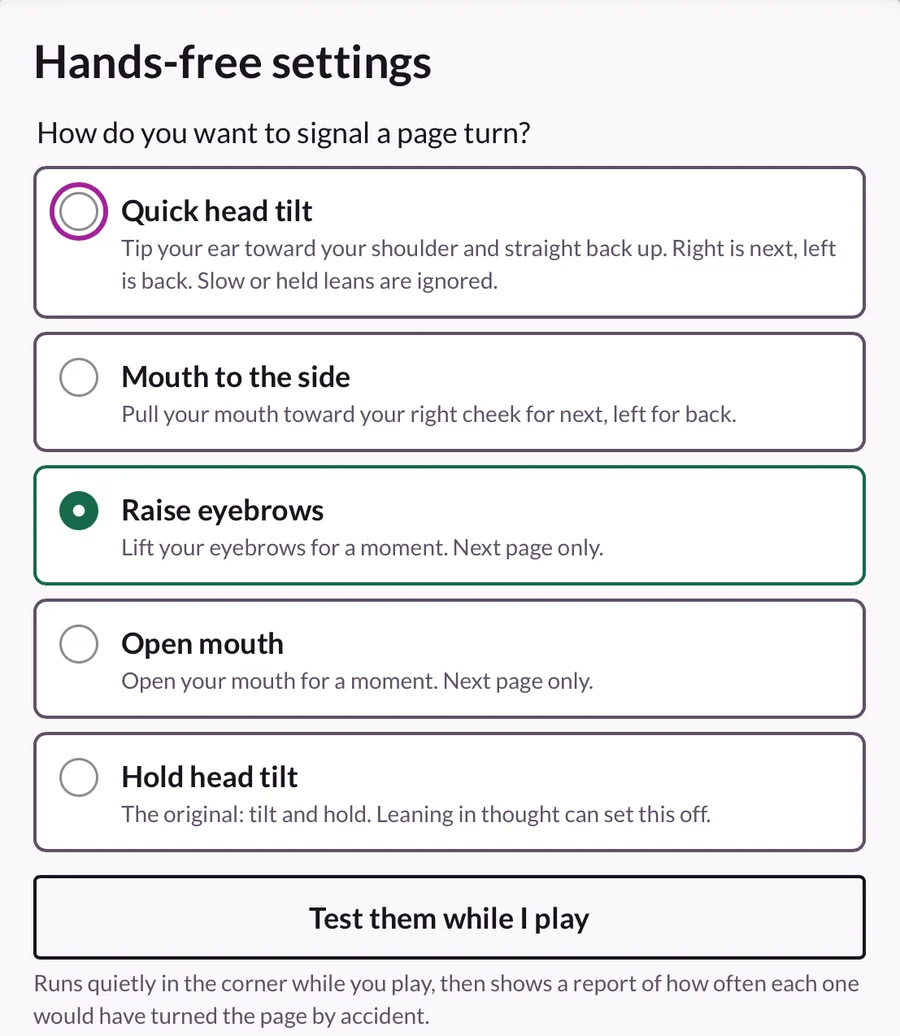
The hands-free settings screen, listing five page-turn signals with Raise eyebrows selected and a Test them while I play button

Pick your signal

Choose the movement that feels natural, and MusicMate watches for it while you play.

The picture never leaves your device. You'll be asked for camera permission the first time.

Calibrates to your face

Play a sample page and the app watches how you naturally move. You get to see what would've triggered a page turn by accident, and pick the gesture that won't trip you up on stage.

We're still tuning page turns. That's what the beta is for. Try test mode first, then tell us what worked and what didn't.

A built-in metronome

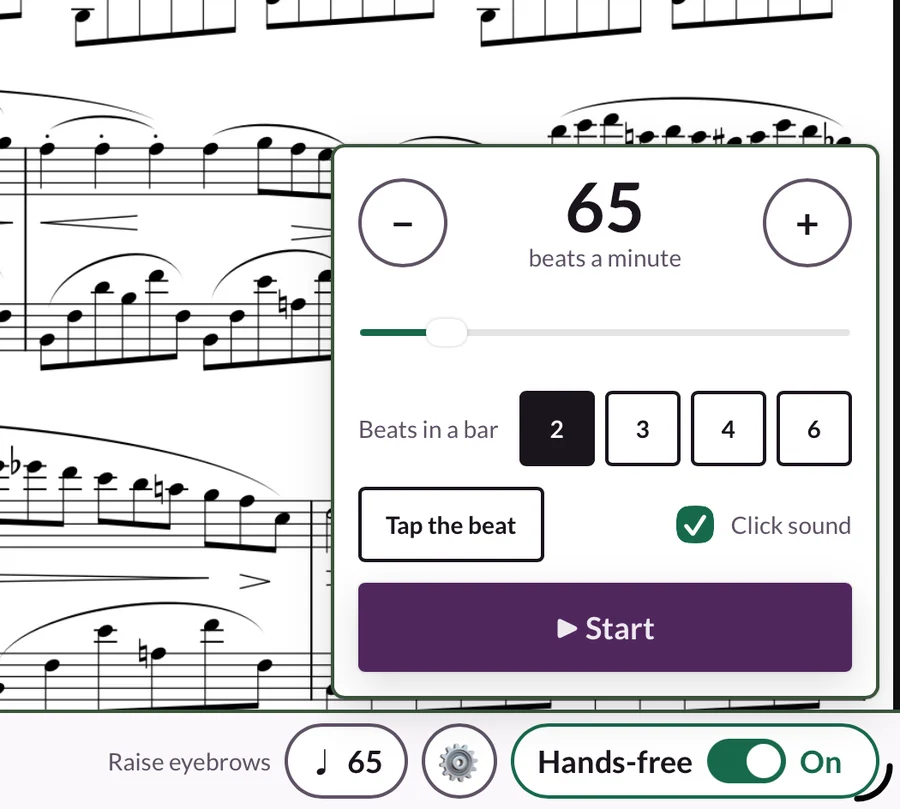
No second app or device. Tap the beat to set the speed in a couple of seconds.

Each piece remembers its own tempo, so it's right the next time you open it.

The metronome panel open over a page of music, set to 65 beats a minute
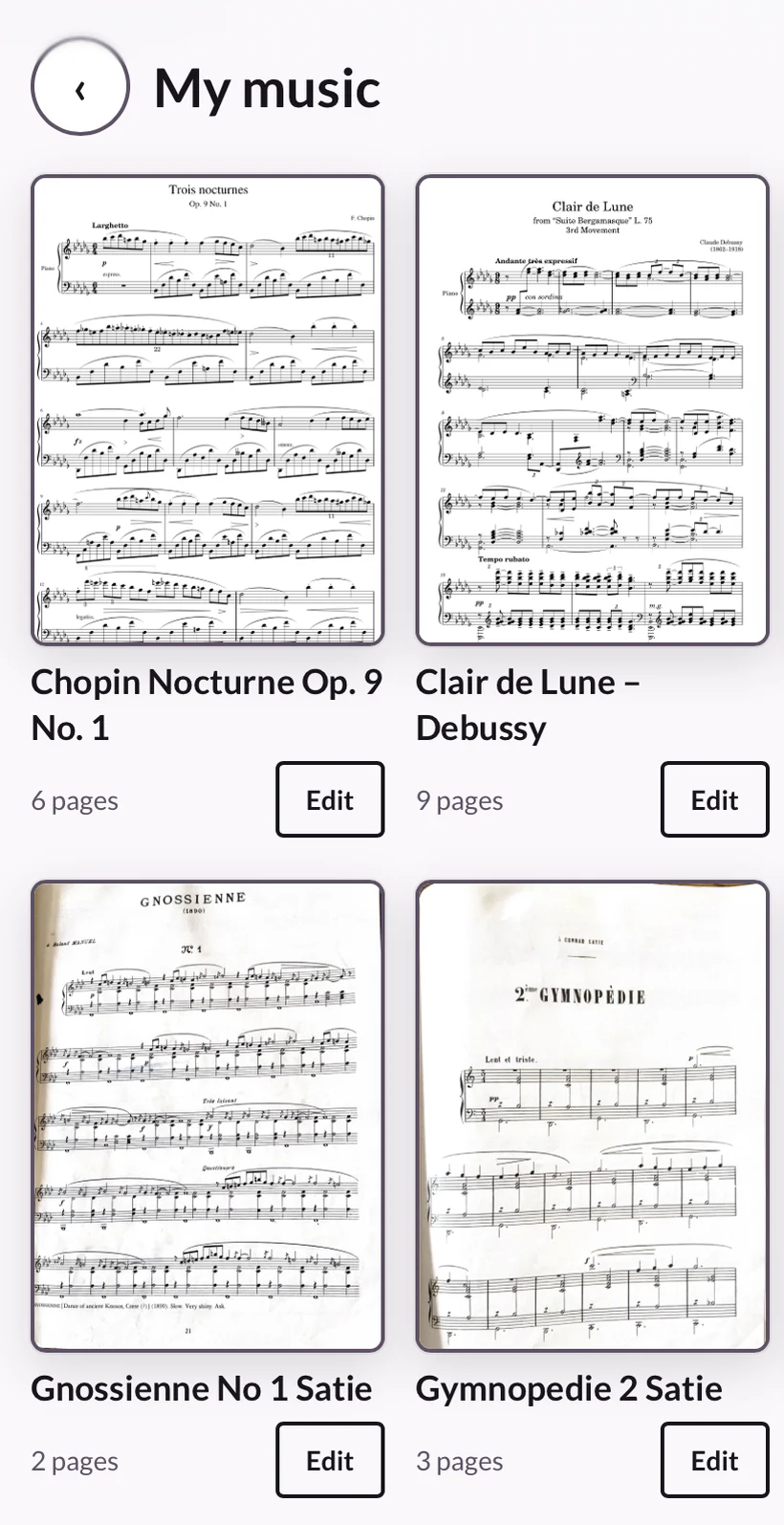
The My music library, showing four pieces by Chopin, Debussy and Satie with their page counts

Digitize your sheet music

Music you already own goes in within a minute. The page gets the whole screen, and the screen never dims mid-piece.

  • From a PDF
  • From photos
  • Crop in the app

For families

For the kid who forgets the music bag

You pull up to the lesson and realize the books are on the piano at home. Sound familiar?

This week's music lives on the tablet your child already uses. It's there at the lesson, there at home, and there at Grandma's.

  • Set up with one text message
  • No passwords for children
  • Siblings share a device, not progress
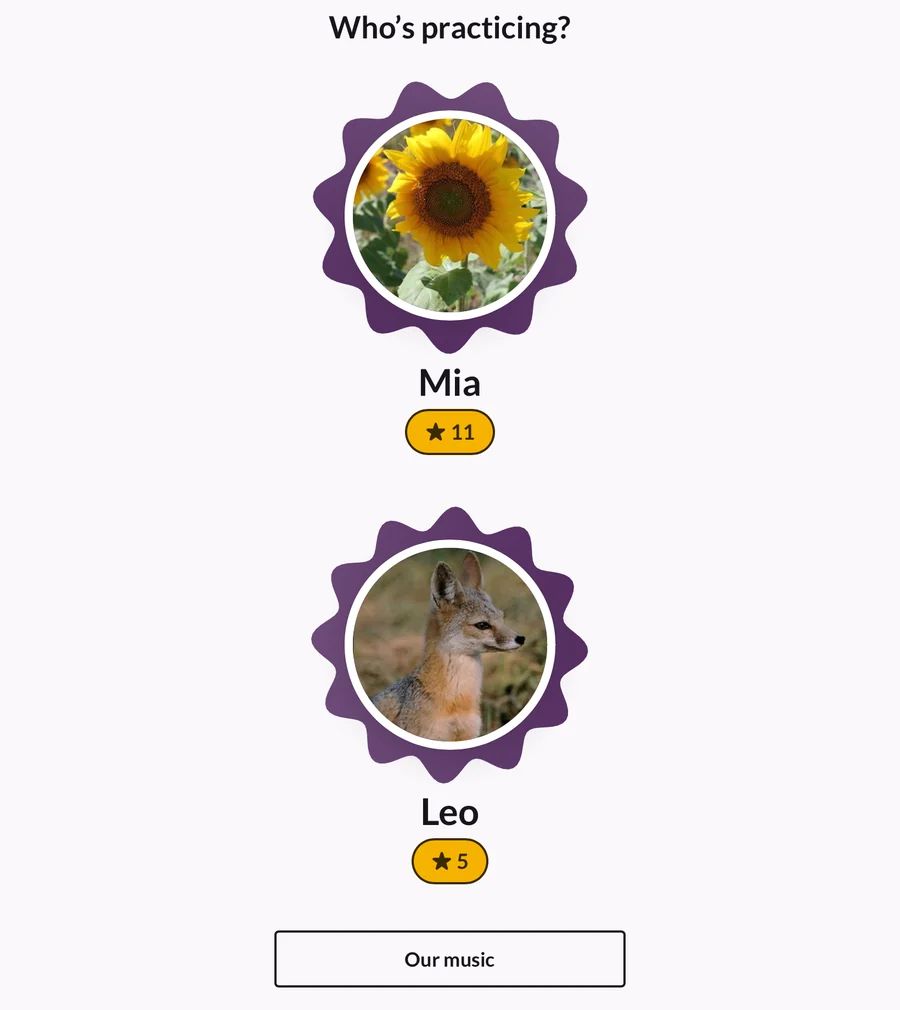
The Who's practicing screen, with a sunflower picture for Mia, who has 11 points, and a fox picture for Leo, who has 5

For teachers

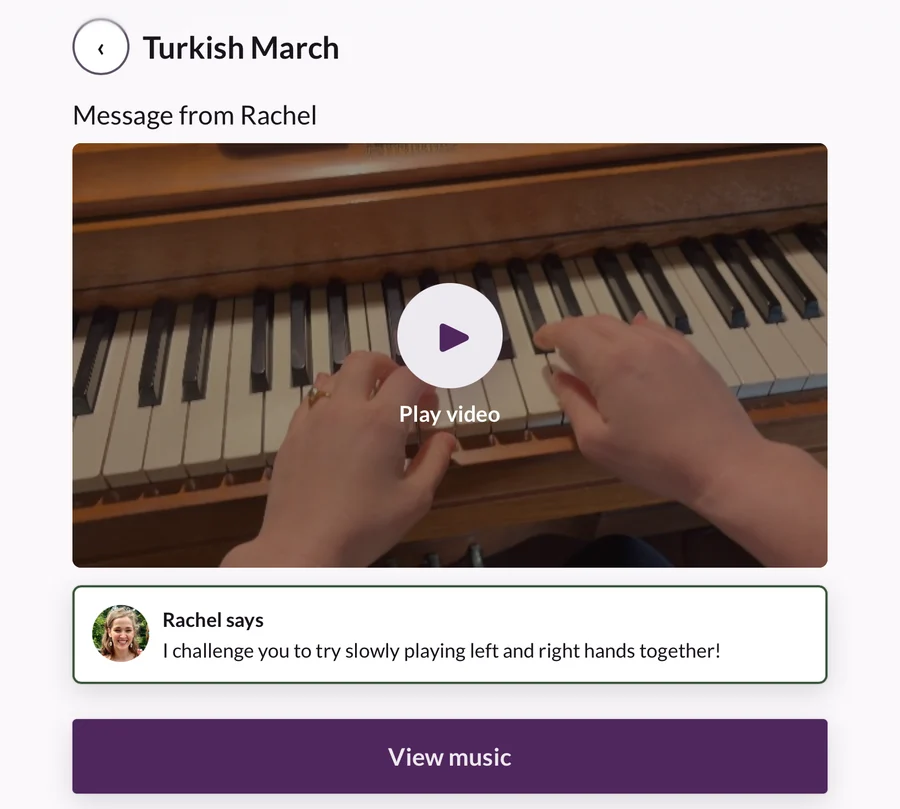
An assignment screen with a video of the teacher's hands on the piano and a note from the teacher

Notes and recordings

Teachers can share recordings and notes on each piece of music to help students hear how it should sound.

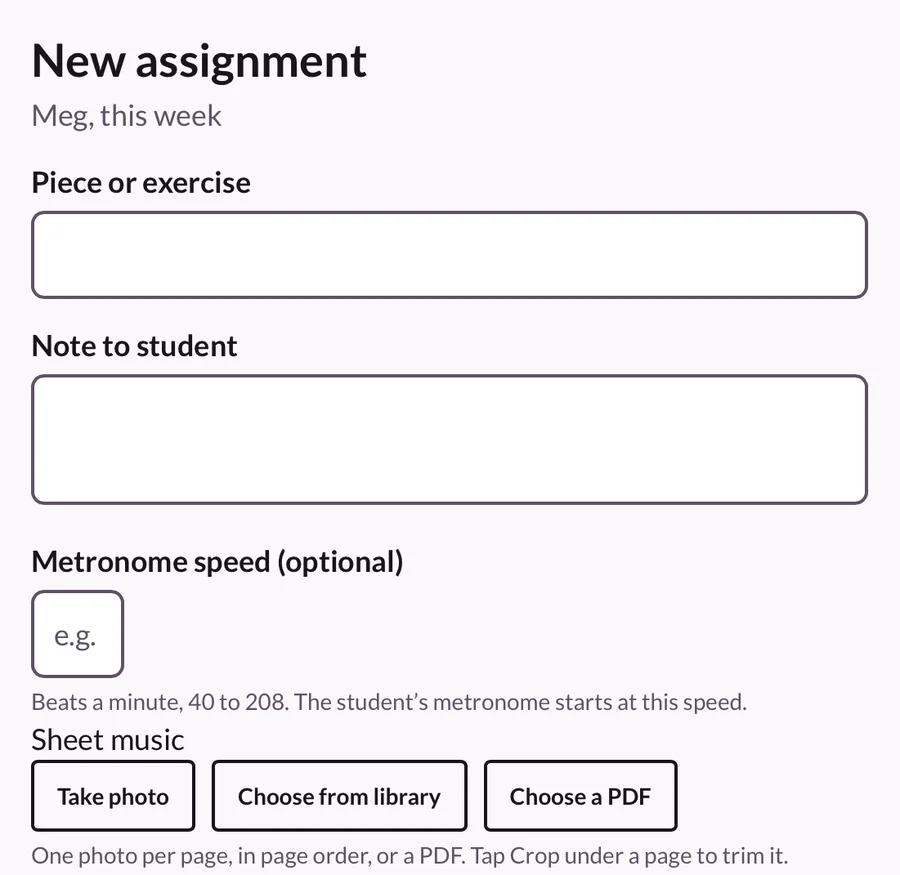
The New assignment form, with fields for the piece, a note to the student and a metronome speed, and buttons to add sheet music from a photo, the library or a PDF

Teacher mode

No more "I forgot my book." Assign the piece and it's on the family's device before they're out the door. See who practiced, and on which days, before the lesson starts.

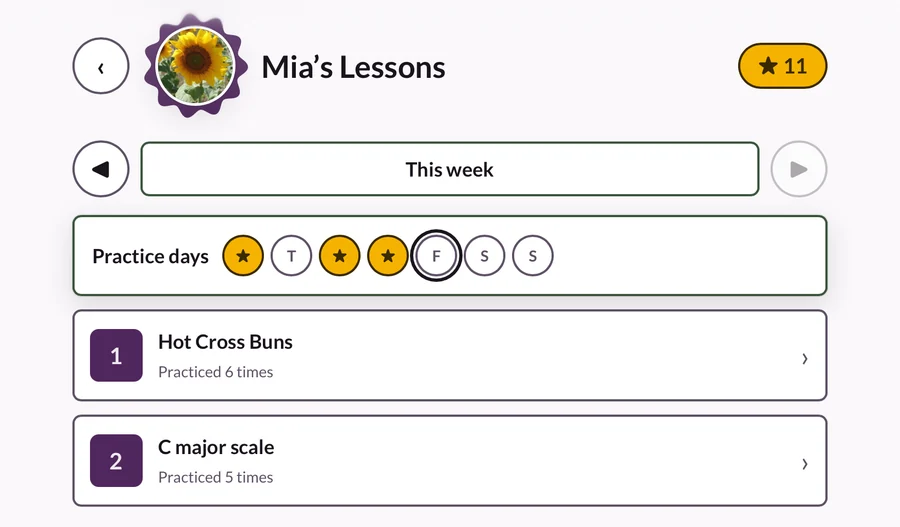
Mia's lessons for this week: 11 points, three practice days marked with stars, and two assignments with how many times each was practiced

Make daily practice a habit

One tap logs practice. Every session earns a point and a small celebration, and a dot for each day shows the week filling in. How you reward diligence is up to you (stickers are popular with my students).

Their own page, pencil marks and all

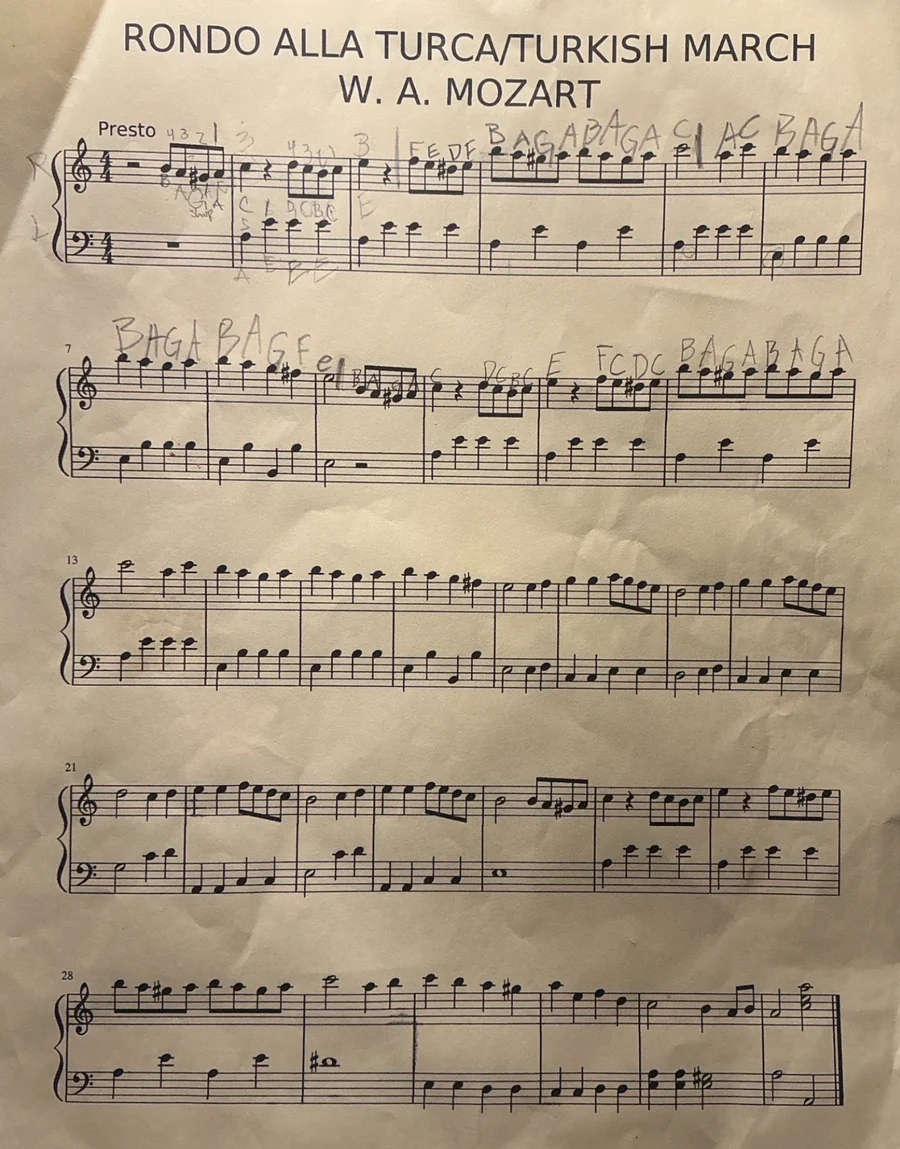
Take a photo of the page your student has already written on. It lands in their library with every note name and fingering still there.

Hand out extra pieces without printing or emailing.

Bring your studio into the beta
A photographed page of sheet music with a student's pencil notes, open in the music view
Rachel, the founder of MusicMate, smiling outdoors

Thirty years of stopping to turn the page

I've played piano for thirty years, and I have never been good at memorizing music. So for years I've done the same thing at the bottom of every page: stop, reach, flip, find my place, start again.

I'm also a professional UX designer. My day job is seeing where well-designed tech can help solve a human problem. This began as a way to help myself enjoy a flow-state and overcome an irritating part of sheet music.

I teach piano part-time too, and my students are tablet kids. They forget their books, and by Wednesday they've forgotten what I asked them to practice. So I built the lessons side for them.

Rachel, designer, piano teacher, lifelong page-turner

Private by design

Only you see you

The camera only watches for your signal. The picture stays on your device and is never recorded or sent anywhere.

No ads

We will never show ads, sell information, or track anyone across other apps or websites.

No photos of children

Kids are cute, but that's none of the app's business. Students are a first name, a color and a picture chosen from our stock photos of animals and nature.

Join the beta

MusicMate is invite-only while we test. Leave your email and we'll send you a code.

I'm a

We send codes weekly, by email.